Barcode & QR Code Printing Inside TallyPrime
Print barcode and QR labels straight from your TallyPrime item masters, on the sticker sheets you already buy. No separate labelling software, and no re-typing item names, codes or prices into it. IT Catalyst helps businesses simplify inventory labeling, improve stock identification, and eliminate the need for separate barcode software.
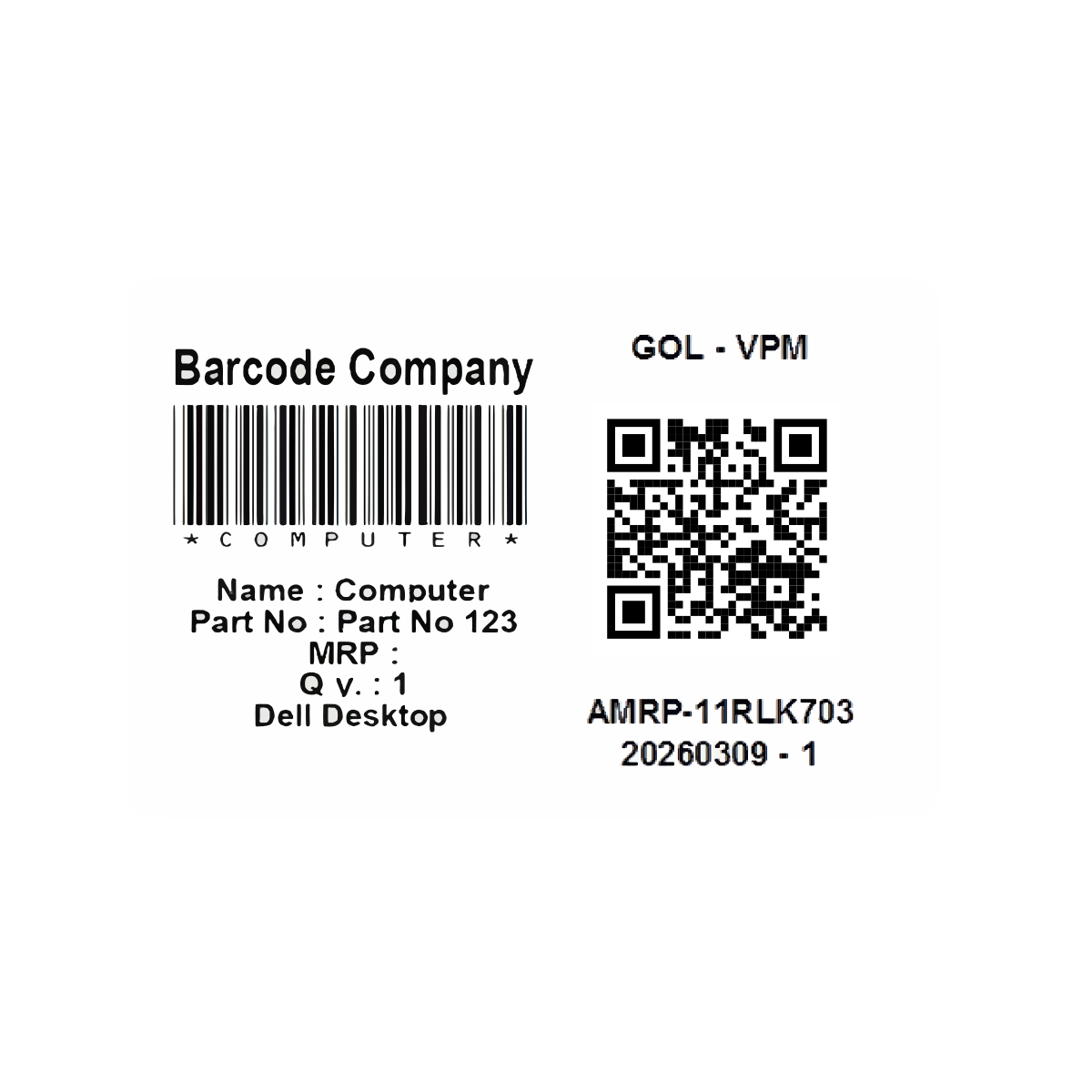
Manual Inventory Labeling Slows Business Operations
Many businesses continue creating barcode labels using separate software, spreadsheets, or manual processes. This results in duplicate work, inconsistent labeling, and unnecessary time spent preparing inventory before it can be sold or dispatched.
When the label is printed from the item master itself, what is on the sticker and what is in Tally cannot be different.
Keep Working the Way You Do. Just Faster.
You do not need to rebuild your inventory process to start using barcodes. Printing and scanning slot into the way your team already works in TallyPrime. Stock is identified, counted and moved faster, and nothing else about the workflow changes.
Your TallyPrime Workflow Stays the Same
Your existing inventory and accounting processes remain in place. Barcodes simply make identifying and handling stock quicker.
Your Team Doesn't Have to Learn a New System
Scanning replaces repetitive searching, typing, and manual identification with a simple scan-and-go process.
Start Small. See the Difference.
Introduce barcodes where they make the biggest difference first, then expand as your team becomes comfortable with the process.
Print Labels Directly From Your Existing Inventory
Seven steps, from picking the items to sticking the label on the carton.
Inventory Item
Access item data inside TallyPrime.
Select Items
Choose stock items or groups.
Generate Code
Generate barcodes or QR codes.
Preview Labels
Review layout & data on screen.
Print directly using your own printer.
Apply To Products
Affix labels to items or cartons.
Track Inventory
Scan instantly during audits & sales.
What You Can Configure
Label size, margins, sticker layout, what data goes on the label and how many at a time.
Faster Labeling. Better Inventory Accuracy.
Less time spent preparing stock before it can be dispatched, and fewer items dispatched against the wrong code.
Generate Labels In Minutes
Eliminate manual data entry and print label sheets directly for a stock item or an entire stock group.
Reduce Inventory Errors
Standardised barcode printing prevents mislabelling, manual entry errors, and warehouse dispatch mistakes.
Improve Product Identification
The barcode carries the product code and batch number, so items are identified quickly and accurately wherever they are scanned.
Simplify Stock Verification
Accelerate periodic physical stock verification and inventory audits with reliable barcode scanning.
Reduce Label Waste
Print exact required quantities with print preview protection, avoiding wasted sticker sheets and media.
Maintain Consistent Inventory Records
Labels are generated from your TallyPrime stock items, so the tag on the product always matches the record in your books.
Ideal For
Businesses that move physical stock and need the label on the carton to match the item in Tally.
Retail Stores
Wholesale Businesses
Warehouses
Manufacturing Companies
Distribution Businesses
Pharmaceutical Companies
Textile Businesses
Electronics Dealers
Automobile Spare Parts Businesses
Logistics Companies
Implementation That Fits Your Operations
Every business labels products differently. IT Catalyst configures barcode printing around your inventory structure, printers, label stationery, and operational workflow so your team can begin printing immediately from TallyPrime.
Solution Configuration
Configure layouts, paper sizes, and printing preferences.
Inventory Mapping
Ensure labels match your existing inventory structure.
User Training
Train employees on barcode generation and printing.
Long-Term Support
Continue improving the solution as your business grows.
Frequently Asked Questions
Get answers to common questions about Barcode & QR Code Printing inside TallyPrime.
Want a test print on your own labels?
Tell us which printer and sticker sheets you use, and send a sample of the label you want. We will configure it against your item masters and print a test run.